
I remember sitting in my first real office job, staring at a blinking cursor for twenty minutes, sweating through my shirt because I was terrified that one wrong word would make me look like an amateur. I’d seen those “expert” career coaches online claiming you need a PhD in linguistics or a dozen fancy templates to sound competent, but honestly? That’s just expensive noise. Learning how to write a professional email isn’t about using big, stuffy words that make you sound like a 19th-century lawyer; it’s about being clear, being respectful, and getting to the point without sounding like a robot.
I’m not here to give you a lecture on corporate jargon or teach you how to write a novel every time you need to ask for a meeting. Instead, I’m going to break this down into a few practical, repeatable steps that actually work in the real world. I’ll show you how to structure your thoughts, nail the subject line, and hit that send button with total confidence. We’re going to strip away the fluff and focus on the simple mechanics so you can get back to your actual work.
Table of Contents
- Mastering the Business Email Structure Without the Stress
- Crafting Professional Email Subject Lines That Actually Get Opened
- Five Simple Rules to Keep Your Emails from Looking Like a Hot Mess
- Quick Wins for Your Next Inbox Win
- ## The Golden Rule of the Inbox
- You’ve Got This
- Frequently Asked Questions
Mastering the Business Email Structure Without the Stress
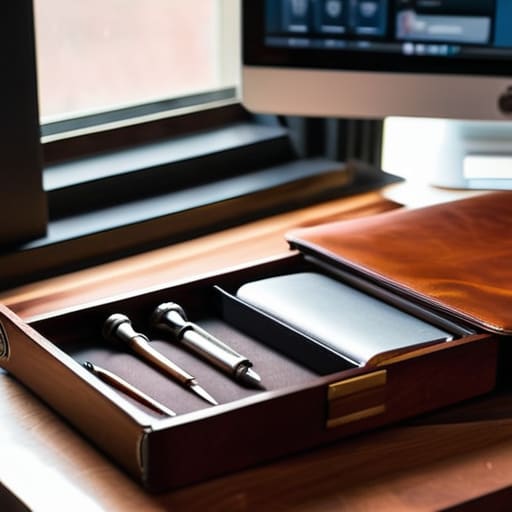
Think of a business email like a well-organized toolbox. You wouldn’t just toss a hammer, a screwdriver, and a handful of loose nails into a pile and call it a kit; you need a place for everything so you can actually find what you need. The same goes for your business email structure. You want a clear subject line that acts like a label on a bin, a polite greeting to open the door, a concise middle section where you get to the point, and a sign-off that doesn’t leave things hanging.
When you’re figuring out the formal vs informal email tone, I always tell people to err on the side of being a little too polite rather than too casual. If you’re emailing a boss or a new client, keep it tight. Avoid those common email etiquette mistakes like using too many exclamation points or writing a novel when a sentence would do. Keep your sentences punchy and your goal clear. Once you nail this basic framework, you’ll find that you spend way less time staring at a blinking cursor and more time actually getting your work done.
Crafting Professional Email Subject Lines That Actually Get Opened

Think of your subject line as the front door to your message. If it looks broken or confusing, nobody is going to want to walk inside. I’ve definitely been guilty of leaving the subject line blank or just typing “Hey” in the past, but that’s one of those common email etiquette mistakes that makes you look a bit disorganized. Instead, you want to give the person on the other end a clear “preview” of what’s coming. A good rule of thumb is to keep it under six or seven words so it doesn’t get cut off on a smartphone screen.
When you’re working on your professional email subject lines, aim for a balance of clarity and urgency. If you’re reaching out about a specific project, include the project name right there in the title. If you’re writing professional follow-up emails after a meeting, mention the date or the specific topic you discussed. It’s all about making the recipient’s life easier. If they can tell exactly what you need before they even click “open,” you’ve already won half the battle.
Five Simple Rules to Keep Your Emails from Looking Like a Hot Mess
- Keep it short and sweet. I know it’s tempting to write a novel when you’re explaining a problem, but most people are skimming. Get to the point in the first two sentences so they don’t have to go hunting for your actual request.
- Watch your tone like you would a delicate recipe. Without seeing your face, people can easily mistake “directness” for “rudeness.” I always do a quick read-through to make sure I don’t sound like I’m barking orders.
- The “One Goal” rule. Try to stick to one main topic per email. If you start jumping from a project update to a request for time off to a question about lunch, things are going to get lost in the shuffle.
- Proofread, but don’t obsess. You don’t need a PhD in English, but a quick scan for “your” vs “you’re” saves you a lot of headache. I usually read my draft out loud once—if it sounds weird to my ears, it’ll look weird to theirs.
- Always include a clear call to action. Don’t leave them guessing. Instead of saying “Let me know what you think,” try “Can you confirm if this works by Thursday at 3 PM?” It takes the guesswork out of it for everyone.
Quick Wins for Your Next Inbox Win
Keep it simple and structured; if you follow a clear layout, you won’t have to second-guess your tone halfway through.
Treat your subject line like a headline—make it clear and punchy so the person on the other end knows exactly why they’re clicking.
Don’t overthink the “professional” part; as long as you’re clear, respectful, and get to the point, you’re already ahead of most people.
## The Golden Rule of the Inbox
“Think of a professional email like a well-organized toolbox: you don’t need a million fancy gadgets, you just need the right tools in the right order so the person on the other end can find exactly what they need without digging through the junk.”
Nathan Cole
You’ve Got This

At the end of the day, writing a professional email isn’t about using big, fancy words to sound like a textbook. It’s really just about getting your point across clearly and respecting the person on the other side of the screen. We’ve covered how to build a solid structure, how to keep your tone from getting weird, and how to write those subject lines that actually make people want to click. If you can nail the basics—clear subject lines, a polite greeting, and a direct ask—you’re already ahead of most people in my inbox. Just remember to read it over once before you hit send; it’s the digital equivalent of double-checking that you actually turned the stove off before leaving the house.
I know that staring at a blank compose window can feel a bit daunting, especially if you’re worried about coming off the wrong way. But honestly? Most people are just looking for information and clarity, not a masterpiece of literature. Don’t let the fear of a typo or a slightly awkward sentence stop you from reaching out. Think of it like any other DIY project: you might not get it perfect on the first try, but with a little practice, you’ll find your rhythm. You are more than capable of handling this, so stop overthinking it and just get that message sent.
Frequently Asked Questions
How do I know when it's okay to be a little more casual or use an emoji?
Look, I get it—the line between “professional” and “stiff” can feel blurry. My rule of thumb? Read the room. If your boss or client uses a smiley face or keeps things breezy, you’ve got the green light to relax a bit. But if they’re all business, stick to the basics. I usually save emojis for people I’ve worked with for a while. When in doubt, err on the side of being a little more formal.
What should I do if I realize I made a huge mistake or a typo right after hitting send?
We’ve all been there—that instant pit in your stomach when you realize you just sent a typo or, worse, the wrong attachment. First, take a breath. Don’t panic-send five more emails. If it’s a small typo, let it go; most people won’t notice. If it’s a big one, like the wrong file or a major error, send a quick, polite follow-up immediately. Just say, “Apologies, please use this version instead.” Keep it brief, fix it, and move on.
Is there a limit to how long my email should be before I start losing people's attention?
Look, I’ve been there—staring at a screen, typing out a novel and wondering if I’ve gone too far. Here’s the truth: if your email looks like a wall of text, people are going to skim it or, worse, ignore it entirely. Aim for brevity. If you can say it in three short paragraphs instead of six, do it. Keep your main point front and center, and if it gets too long, just use bullet points.
