I’ve spent half my life staring at half-finished projects, whether it’s a kitchen remodel that stalled because I lost the measurements or a coding project that died because I forgot my own logic. We’ve all been there—your brain is firing on all cylinders, but you can’t find that one brilliant idea you scribbled down on a napkin three days ago. It’s frustrating, and honestly, it’s a massive waste of mental energy. I realized a while back that finding the best note taking apps isn’t about finding the flashiest software with the most buttons; it’s about finding a digital tool that actually keeps up with the way you think so you can stop searching and start doing.
I’m not here to give you a lecture on complex database management or some high-brow tech jargon. Instead, I’ve narrowed it down to five specific options that I think are actually worth your time. I’m going to walk you through a handful of the best note taking apps based on how they actually feel to use in the real world. Whether you need something dead-simple for grocery lists or a heavy-duty system to organize your entire life, you’re going to find a winner in this list that helps you get your head straight and stay productive.
Table of Contents
- The Digital Swiss Army Knife: Notion
- The Quick and Dirty Winner: Google Keep
- The Organized Thinker’s Choice: Evernote
- The Minimalist’s Dream: Bear
- The Power User’s Playground: Obsidian
- The Bottom Line: Pick Your Tool and Start Writing
- The Real Goal of Organizing Your Thoughts
- Don't Get Stuck in "Setup Mode"
- Frequently Asked Questions
The Digital Swiss Army Knife: Notion
If you’re the kind of person who likes having every tool in one single toolbox, Notion is going to feel like home. I used to jump between three different apps just to manage a project, but Notion lets you build your own system using blocks. You can have a grocery list, a work calendar, and a database for your book collection all sitting in the same digital space. It’s a bit of a learning curve at first, but once you get the hang of it, it’s incredibly powerful.
The Quick and Dirty Winner: Google Keep
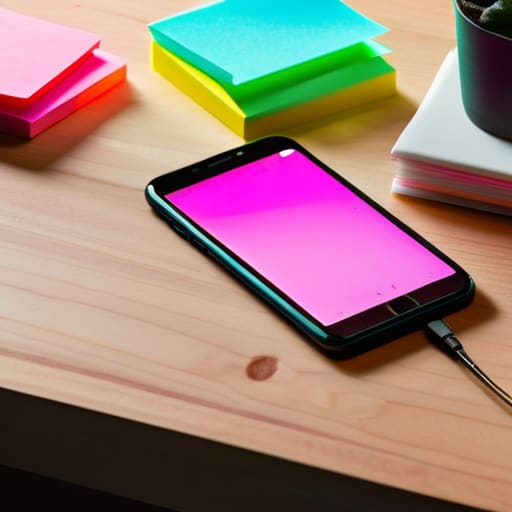
Sometimes you don’t need a massive organizational system; you just need to remember that you ran out of lightbulbs or that you need to call the plumber. That’s where Google Keep comes in. It’s basically the digital version of those neon sticky notes you see stuck to a fridge. It is lightning fast to open, type a thought, and close it again, which is exactly what you need when you’re in the middle of a project.
The Organized Thinker’s Choice: Evernote

I remember back in the day, I used to keep stacks of paper notebooks everywhere, and half of them would get lost in a move. Evernote is like the ultimate digital filing cabinet for people who collect everything. It’s particularly great if you do a lot of “clipping” from the web. If you see a DIY guide or a recipe you want to save, you can just toss it into a notebook and find it later with ease.
The Minimalist’s Dream: Bear
There are some days when I just want to write without all the bells and whistles getting in my way. Bear is what I call a “distraction-free” zone. It uses something called Markdown, which sounds technical, but it’s really just a simple way to format your text without having to click around a bunch of tiny icons. It’s clean, it’s fast, and it feels incredibly smooth on both your phone and your computer.
The Power User’s Playground: Obsidian
Now, if you’re the type of person who loves to tinker with your tools and see how they work under the hood, you might want to look at Obsidian. It’s a bit different because it stores everything as simple text files on your own computer, rather than hiding them in a company’s cloud. This means you actually own your data, which is a huge win for long-term peace of mind.
The Bottom Line: Pick Your Tool and Start Writing
Don’t get stuck in “app paralysis”—the best note-taking app is the one you actually bother to open every single day.
Match the tool to your brain; if you’re a visual person, go for something with layouts, but if you just want to dump thoughts quickly, stick to something simple and text-based.
Start small and keep it organized from day one so you don’t end up with a digital junk drawer that’s impossible to search later.
The Real Goal of Organizing Your Thoughts
At the end of the day, a note-taking app isn’t about finding the flashiest features or the prettiest interface; it’s about building a tool that gets out of your way so you can actually get things done. If you spend more time tweaking your folders than actually writing ideas down, you’ve just built yourself a new chore instead of a solution.
Nathan Cole
Don't Get Stuck in "Setup Mode"
Look, we’ve walked through a lot of options here, from the heavy-duty powerhouses like Notion to the quick-and-dirty simplicity of Apple Notes or Google Keep. The truth is, there isn’t one “perfect” app that’s going to magically fix your life overnight. If you need a massive digital filing cabinet for big projects, go with something robust; if you just need to jot down a grocery list or a quick thought while you’re walking the dog, keep it dead simple. The goal isn’t to find the most feature-rich software on the market, but to find the one that actually gets out of your way so you can get back to real work.
My biggest piece of advice? Stop scrolling through app store reviews and just pick one. You can always migrate your notes later if it turns out to be a dud, but you’re losing more time by overthinking the tool than you would by just starting to write. Most things in life—including a messy brain—are much more figure-out-able once you start putting pen to paper, or in this case, fingers to keys. Grab an app, write down your first three tasks, and just get moving. You’ve got this.
Frequently Asked Questions
Do I really need a paid subscription, or can I get by with just the free versions?
Look, I’ve spent plenty of time trying to squeeze every cent out of a budget, so I get it. For most of us, the free versions are more than enough to get the job done. If you’re just jotting down grocery lists or meeting notes, don’t throw money at a subscription. But, if you find yourself hitting a wall because you need more storage or fancy syncing, that’s when it’s time to reconsider.
How do I make sure I don't lose all my notes if I decide to switch apps later on?
Look, I’ve been there—spending hours perfecting a digital setup only to realize the app is a total headache. Don’t get locked in. Before you commit, check if the app has a solid “Export” feature. You want to be able to dump your stuff into a simple Markdown or PDF file. I also like to do a monthly “safety dump” to a Google Doc or a local folder. It’s like keeping a backup wrench in the truck; you hope you don’t need it, but you’ll be glad it’s there.
Is it better to go with something simple like a digital notepad or a heavy-duty system with all the bells and whistles?
Look, I’ve learned from fixing old engines and messy kitchens that you shouldn’t buy a tool more complex than the job you’re actually doing. If you just need to jot down a grocery list or a quick thought, a heavy-duty system is just going to get in your way. Start simple. Get a digital notepad that feels natural, and only upgrade to the “bells and whistles” once you actually feel like you’re outgrowing it.
