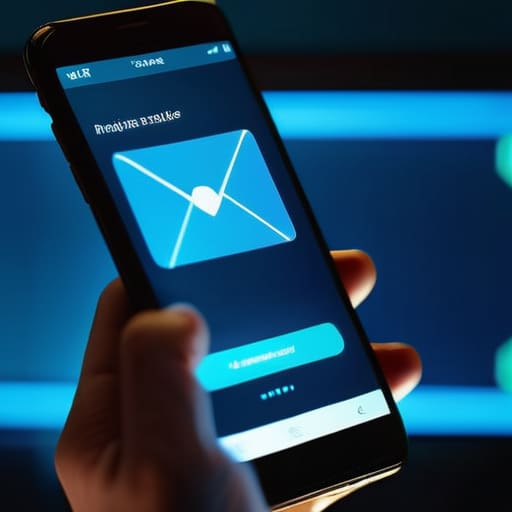
I remember sitting at my kitchen table last Tuesday, coffee in hand, when an alert popped up that looked exactly like a legitimate notice from my bank. My heart did a quick little skip, and for a split second, I actually went to click it. It’s that gut-punch feeling of realization that you might have just handed over your digital keys to a stranger. Most people think you need a degree in cybersecurity to stay safe, but honestly, learning how to spot a phishing email isn’t about memorizing complex code or buying expensive software. It’s really just about developing a bit of a gut instinct for when something feels slightly off.
I’m not here to bore you with technical jargon or scare you into thinking every click is a disaster. Instead, I want to show you how to break these scams down into simple, manageable pieces so you can spot the red flags yourself. I’ll walk you through the exact same mental checklist I use to protect my own accounts, focusing on the practical signs that actually matter. My goal is to make sure you feel completely confident navigating your inbox without the constant worry of being tricked.
Table of Contents
Spotting the Signs of a Fraudulent Email
The first thing I always tell my friends is to slow down. These scammers rely on you being in a rush, so they use high-pressure language to make you panic. They might claim your bank account is frozen or that you’ve won a prize that expires in ten minutes. This is a classic example of social engineering tactics—they aren’t hacking your computer; they’re trying to hack you. If an email feels like it’s trying to bully you into making a quick decision, that’s your first big red flag.
Next, you’ve got to get a little bit nitpicky with the details. Take a close look at the sender’s name. A lot of times, they’ll use a name you recognize, but if you go one step further and actually look at the email address itself, you’ll find the truth. Identifying spoofed sender addresses is a huge part of staying safe; for instance, instead of `[email protected]`, it might be something weird like `[email protected]`. It looks close at a glance, but it’s a total fake. Always hover your mouse over any buttons or links before clicking to see where they’re actually trying to send you.
Identifying Spoofed Sender Addresses Like a Pro
Now, here is where things get a little sneaky. Scammers are getting really good at making an email look like it’s coming from someone you actually trust—like your bank, Netflix, or even your boss. This is a classic move in social engineering tactics, where they play on your trust to get you to let your guard down. The trick is to stop looking at the “Display Name” and start looking at the actual email address behind it.
If you see an email that says it’s from “PayPal Support,” don’t just take their word for it. Click or tap on the sender’s name to reveal the full address. If the name says PayPal but the actual address is something like `[email protected]` or some random string of numbers, you’ve caught them red-handed. Identifying spoofed sender addresses is all about looking for those tiny, intentional typos or extra characters that shouldn’t be there. It’s a bit like spotting a counterfeit tool in a hardware store; once you know what a real one looks like, the fakes start to stand out pretty quickly.
5 Quick Red Flags to Watch Out For
- Watch out for the “Panic Button” tactic. If an email is screaming at you to “Act Now!” or saying your account will be deleted in two hours, take a breath. Scammers love to rush you because they know we make mistakes when we’re stressed.
- Give the grammar a once-over. I’m not saying you need to be an English professor, but if an email from a huge company like Amazon or your bank looks like it was written by someone using a broken translation app, it’s probably a fake.
- Hover before you click. This is a trick I learned a while back: before you click any link, just hover your mouse cursor over it. A little box will pop up showing you the actual web address. If the email says it’s from PayPal but the link points to some weird string of random letters, don’t touch it.
- Be skeptical of “too good to be true” offers. If you suddenly get an email saying you won a $500 gift card or that you’ve inherited money from a long-lost relative, your internal alarm should be going off. If it feels like a scam, it usually is.
- Check for generic greetings. Real companies you actually do business with usually know your name. If an email starts with “Dear Valued Customer” or “Dear Member” instead of using your actual name, it’s a sign they’re just casting a wide net to catch anyone.
Quick Tips to Keep Your Inbox Safe
Slow down and look closer; if an email feels “off” or creates a sense of panic, that’s your biggest red flag.
Always double-check the sender’s actual email address, not just the name they’ve typed in, to make sure they aren’t faking it.
When in doubt, don’t click—go directly to the official website or app yourself to handle whatever the email is asking for.
## A Quick Rule of Thumb
“Think of a phishing email like a suspicious stranger knocking on your door at midnight asking for your keys; if something feels off or they’re pushing you to act fast, trust your gut and just don’t open the door.”
Nathan Cole
Keep Your Guard Up and Your Data Safe
At the end of the day, spotting a phishing scam really comes down to slowing down and trusting your gut. We’ve covered a lot today, from squinting at those weirdly misspelled sender addresses to hunting down hidden links and watching out for that “too good to be true” sense of urgency. It might feel like a lot to keep track of, but once you start looking for these specific red flags, it becomes second nature. Just remember: if an email feels off, or if it’s asking you to hand over sensitive info out of the blue, it’s always better to stop and double-check through a separate, trusted channel rather than clicking that link.
I know that staring down a screen full of potential scams can feel a bit overwhelming, but don’t let it get to you. Cybersecurity isn’t about being a tech genius or a coding wizard; it’s just about having the right set of tools and the patience to use them. Think of it like learning to fix a leaky pipe—once you know where the pressure is coming from, you can plug the hole. You’ve got the skills now to protect yourself and your family, so stay curious and stay cautious. You’ve totally got this!
Frequently Asked Questions
What should I actually do if I realize I've already clicked a suspicious link or entered my password?
Don’t panic—we’ve all been there. The first thing you need to do is act fast. If you entered a password, go straight to that site and change it immediately. If you use that same password elsewhere, change those too. Next, if you clicked a link, run a quick virus scan on your computer just to be safe. Finally, keep a close eye on your bank statements for a few days. Better safe than sorry!
Can these phishing scams actually get into my text messages or WhatsApp, or is it just email?
Short answer: Absolutely. It’s not just email anymore. These scammers are getting way more comfortable moving into your texts (often called “smishing”) and apps like WhatsApp. They’ll send a frantic text about a “missed delivery” or a “problem with your bank account” because, let’s face it, we’re much more likely to click a link on our phones than in an inbox. Just treat a suspicious text with the same skepticism as a shady email.
Is there a way to set up my inbox so these fake emails don't even show up in the first place?
I wish I could just wave a magic wand and make them vanish, but it’s not quite that simple. You can definitely beef up your defenses by turning on “High” or “Strict” spam filters in your settings, and always keeping your email app updated. Think of it like putting a better screen on a window; it catches most of the bugs, but you still gotta keep an eye out for the ones that squeeze through.
