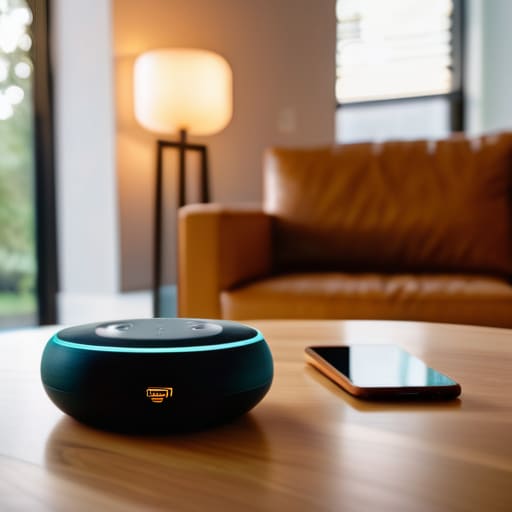
I was standing in the middle of my living room last Tuesday, staring at a tiny, blinking light on a smart bulb that refused to connect to my Wi-Fi, feeling like I was losing a fight against a piece of plastic. It’s easy to look at all those sleek tech commercials and think you need a degree in computer science or a massive bank account to get started. But here’s the truth: most people make it way more complicated than it needs to be. Learning how to set up a smart home shouldn’t feel like you’re trying to pilot a spaceship; it should feel as straightforward as swapping out a light fixture or fixing a leaky faucet.
I’ve spent way too many late nights troubleshooting gadgets so you don’t have to. In this guide, I’m going to strip away the jargon and show you how to build a system that actually works for your life. We’ll cover the essential gear, how to avoid the common compatibility traps, and the best ways to get everything talking to each other without a headache. My goal is to help you automate the boring stuff so you can get back to the things that actually matter.
Table of Contents
- Step-by-Step Instructions
- Your Smart Home Beginner Checklist for a Smooth Start
- Picking the Best Smart Home Hubs 2024 for Your Space
- 5 Pro-Tips to Keep Your Smart Home from Turning Into a Headache
- The Bottom Line: Keep It Simple
- My Golden Rule for Smart Tech
- Wrapping It All Up
- Frequently Asked Questions
Guide Overview
Tools & Supplies
- Smartphone (to run control apps)
- Wi-Fi Router (to provide network connectivity)
- Screwdriver (for mounting some devices)
- Smart Hub (1 unit)
- Smart Bulbs (4-6 units)
- Smart Plugs (2-3 units)
- Smart Speaker (1 unit)
Step-by-Step Instructions
- 1. First things first, you’ve got to pick your “brain.” In the smart home world, this is your ecosystem—the platform that’s going to talk to all your gadgets. I usually tell people to stick to one of the big three: Amazon Alexa, Google Home, or Apple HomeKit. If you try to mix and match everything right out of the gate, you’ll end up with a dozen different apps on your phone, and that’s a fast track to a headache. Pick the one that feels most natural to you and stick with it for your first few devices.
- 2. Next, let’s talk about your Wi-Fi. I’ve seen so many folks buy a fancy smart lightbulb only to have it fail because their router is buried in a closet under a pile of mail. Your smart devices need a rock-solid connection to work properly. If you have a big house or a lot of “dead zones,” you might want to look into a mesh Wi-Fi system. It’s a little more upfront cost, but it’ll save you from the frustration of a lightbulb that won’t turn on because the signal can’t reach the hallway.
- 3. Don’t try to automate your entire life in a single weekend. Start with something small and actually useful, like a smart plug or a couple of smart bulbs. I always recommend starting with smart plugs; they’re cheap, easy to install, and they can turn your “dumb” coffee maker or a floor lamp into a smart device instantly. Once you get the hang of controlling one thing with your voice or your phone, you’ll start to see where the real gaps are in your daily routine.
- 4. Now it’s time to actually install the hardware. For smart bulbs, you just screw them in like normal. For smart plugs, you just pop them into the outlet. If you’re feeling a bit more adventurous and want to tackle smart switches, take your time here. You’ll need to turn off the power at the breaker first—I don’t care how “techy” you feel, never work on live wires. Follow the manual closely, and if something feels sketchy, stop and double-check your connections.
- 5. Once the hardware is in place, it’s time for the digital handshake. Open up your chosen ecosystem’s app and follow the prompts to “Add Device.” This is where you’ll connect the gadget to your Wi-Fi. A pro tip from my side: name your devices something logical. Instead of “Smart Bulb 1,” name it “Living Room Floor Lamp.” It makes a huge difference when you’re walking through the door in the dark and yelling, “Hey Google, turn on the lamp!
- 6. This is where the real magic happens: setting up “Routines” or “Automations.” This is the difference between just having a remote-controlled house and having a smart house. You can set a routine so that when your alarm goes off in the morning, the bedroom lights slowly brighten and the coffee maker starts brewing. It sounds fancy, but it’s really just a series of “If This, Then That” instructions. Start with one simple routine, like “Goodnight,” that turns off all the lights and locks the front door with one command.
- 7. Finally, give everything a “stress test.” Walk around the house and try to trigger your new devices using the app, your voice, and any physical switches you’ve installed. You want to make sure there aren’t any weird lag times or devices that refuse to respond. If something isn’t working, don’t panic—it’s usually just a matter of updating the firmware or moving the device a few inches closer to the router. Once it’s running smooth, sit back and enjoy the handiwork.
Your Smart Home Beginner Checklist for a Smooth Start
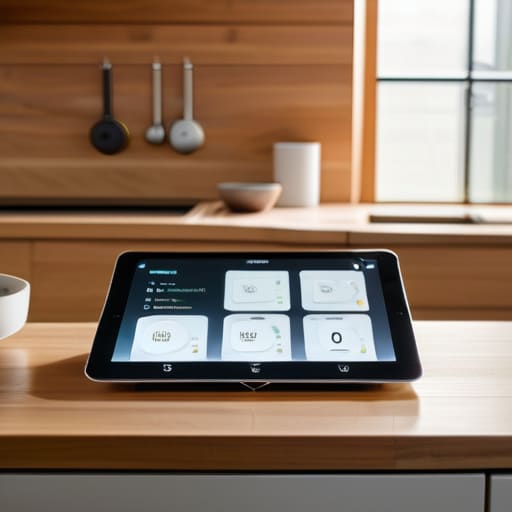
Before you go out and grab every shiny new gadget on the shelf, I want you to take a breath. It’s easy to get caught up in the hype, but the secret to a setup that actually works—and doesn’t drive you crazy—is planning ahead. My biggest piece of advice is to nail down your smart home ecosystem compatibility before you spend a single dime. You don’t want to buy a high-end smart lock only to realize it won’t talk to the voice assistant you already have sitting on your kitchen counter. Decide if you’re a Google, Alexa, or Apple person first, and let that be your North Star.
Once you’ve picked your camp, run through this quick smart home beginner checklist to make sure your foundation is solid. First, check your Wi-Fi signal in the rooms where you plan to install devices; nothing kills the vibe faster than a smart bulb that constantly drops offline. Second, think about your long-term goals. Are you looking at automating home lighting and security to save on energy, or do you just want your coffee maker to start when your alarm goes off? Knowing your “why” helps you buy tools that actually solve problems instead of just adding clutter to your phone.
Picking the Best Smart Home Hubs 2024 for Your Space
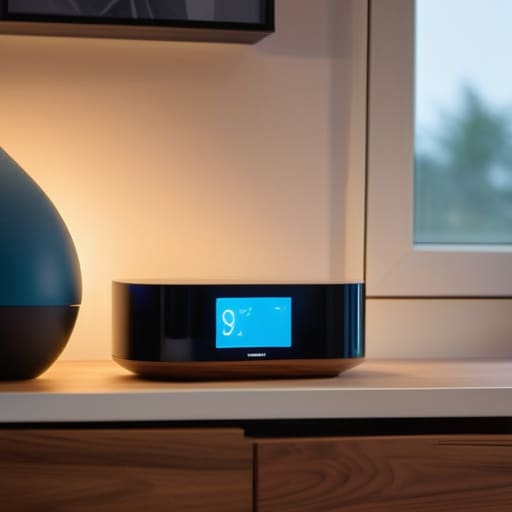
Think of your smart home hub as the brain of the whole operation. If you don’t pick a good one, you’ll end up with a bunch of gadgets that refuse to talk to each other, which is a massive headache I’ve dealt with more than once. When you’re looking for the best smart home hubs 2024 has to offer, your first priority should be smart home ecosystem compatibility. You want a hub that plays nice with everything from your smart bulbs to your doorbell, so you aren’t stuck jumping between five different apps just to turn off the lights before bed.
If you’re a fan of using your voice to control things, focus on integrating voice assistants like Alexa, Google Assistant, or Apple HomeKit right from the start. For most of us, a simple plug-and-play setup is better than a complex pro-grade system that requires a degree in computer science to run. I always tell people to start small and scale up as you get comfortable. Once you have a solid hub acting as your command center, adding more devices feels less like a chore and more like a fun weekend project.
5 Pro-Tips to Keep Your Smart Home from Turning Into a Headache
- Start with one ecosystem and stick to it. I know it’s tempting to grab whatever gadget is on sale at the hardware store, but if you mix too many different brands that don’t talk to each other, you’ll end up with ten different apps on your phone just to turn off the lights. Pick a “language”—like Alexa, Google, or Apple—and try to keep your new gear within that family.
- Check your Wi-Fi strength before you buy anything. There is nothing more frustrating than installing a smart doorbell only to realize it can’t “see” your router through your front door. If you’ve got dead zones in your house, grab a Wi-Fi extender or a mesh system before you start adding more devices to the network.
- Don’t forget about manual overrides. I’ve seen people get so caught up in automation that they forget they still need to be able to walk up to a wall and flip a switch. Always make sure your smart bulbs or plugs still work with a physical switch, or you’ll be standing in the dark when the internet decides to take a nap.
- Secure your network from day one. Since you’re essentially putting more “doors” into your digital house, you’ve got to lock them. Change the default passwords on every single device you buy, and if your router allows it, set up a “Guest Network” specifically for your smart gadgets to keep them separate from your main computer and phone.
- Think about “routines,” not just individual gadgets. A smart home shouldn’t just be a bunch of things you control with your phone; it should actually do work for you. Instead of just turning on a light, set up a “Goodnight” routine that dims the lights, locks the front door, and lowers the thermostat all at once. That’s where the real magic happens.
The Bottom Line: Keep It Simple
Don’t try to automate your whole house in one weekend; start with one room or one task—like lighting or your thermostat—and build from there once you’ve got the hang of it.
Prioritize compatibility above everything else. Before you tap “buy” on a cool new gadget, make sure it actually plays nice with the hub or voice assistant you’ve already picked out.
Focus on utility, not just the “wow” factor. The best smart home tech isn’t just flashy; it’s the stuff that actually makes your daily routine a little easier or saves you a bit of money on your energy bill.
My Golden Rule for Smart Tech
“Don’t feel like you need to turn your whole house into a sci-fi movie overnight; just pick one problem you want to solve—like a light that’s too dim or a thermostat that’s too finicky—and start there. A smart home is built one useful gadget at a time, not in one big, expensive headache.”
Nathan Cole
Wrapping It All Up
Look, I know we covered a lot of ground today, from picking out a solid hub to checking off that beginner’s list. It can feel like a lot to juggle at once, but remember that you don’t have to do everything in a single weekend. Start small—maybe just a couple of smart bulbs or a plug you can control from your phone—and build from there. The most important thing is to ensure your devices are compatible with each other so you aren’t constantly fighting with different apps. Once you get that foundation laid down, the rest of the pieces will start to fall into place much more naturally.
At the end of the day, a smart home isn’t about having the flashiest, most expensive gadgets on the block; it’s about making your daily routine a little bit easier and a lot more efficient. Whether it’s the lights dimming automatically when you sit down for dinner or your thermostat adjusting while you’re out running errands, these little wins add up. Don’t let the tech side of things intimidate you. You’ve got the tools and the plan, so just take it one step at a time and embrace the process. You’ve totally got this!
Frequently Asked Questions
Will all these different gadgets actually talk to each other, or am I going to end up with five different apps on my phone?
I hear you—the “app overload” is exactly what keeps people from starting. Honestly, if you just buy random gadgets, you will end up with a phone full of clutter. But here’s the trick: look for devices that support “Matter” or work with your chosen hub. If everything speaks the same language, you can control your lights, locks, and thermostat from one single app. It’s all about picking a common tongue first.
Do I need to rewire my whole house to get this working, or can I just use what I've already got?
The short answer? Definitely not. Unless you’re living in a literal cabin from the 1800s, you don’t need to tear open your walls. Most of these gadgets are designed to play nice with your existing outlets and Wi-Fi. Think of it like adding new tools to an old toolbox—you don’t replace the whole box, you just add what works. Start with what you’ve got, plug things in, and go from there.
How much is this really going to mess with my Wi-Fi speed when I'm trying to stream a movie or work?
That’s the million-dollar question, isn’t it? Honestly, if you just plug in a couple of smart bulbs, you won’t even notice a difference. But if you start adding dozens of cheap gadgets, they can start crowding your bandwidth like people at a crowded bar. My advice? Stick to a decent router, keep your high-demand stuff (like your work laptop and Netflix) on the main frequency, and you’ll be just fine.
