
Look, I’m going to be straight with you: you don’t need a house that thinks it’s a spaceship just to turn the lights off when you’re already tucked into bed. I’ve spent way too much time watching tech influencers hype up $500 gadgets that solve problems you didn’t even know you had, and frankly, it’s a complete waste of money. Most of the “smart” stuff out there is designed to make you feel like you’re falling behind if you aren’t buying every single shiny new release. But learning how to choose tech for your home shouldn’t feel like you’re studying for a computer science degree or draining your savings account.
I’m not here to sell you on the bells and whistles that look cool in an ad but break the moment you try to use them. My goal is to help you cut through the marketing fluff and find the stuff that actually works for your specific life and budget. I’ll show you how to pick tools that make your daily routine a little smoother without turning your living room into a confusing mess of wires and apps. We’re going to focus on practical, reliable setups that you can actually manage yourself.
Table of Contents
Smart Home Ecosystem Compatibility Made Simple

Here is where most people hit a wall, but don’t let it trip you up. Think of your smart home like a toolbox—if you buy a bunch of different brands that don’t play nice together, you’re going to end up with a headache instead of a helper. This is where smart home ecosystem compatibility comes into play. You basically want to pick a “language” for your house before you start buying stuff. Whether you lean toward Apple HomeKit, Amazon Alexa, or Google Home, sticking to one primary hub makes integrating smart devices a whole lot smoother. It’s the difference between a well-organized workbench and a junk drawer full of random parts.
Once you’ve picked your camp, stick to it as much as possible. If you buy a smart lightbulb that only works with one app and a thermostat that needs another, you’ll spend more time tapping your phone than actually enjoying your home. I always tell people to look for the logo on the box—specifically the ones that say “Works with…” This keeps things simple and ensures your gadgets actually talk to each other without you having to act as a middleman.
Practical Home Automation Budget Planning
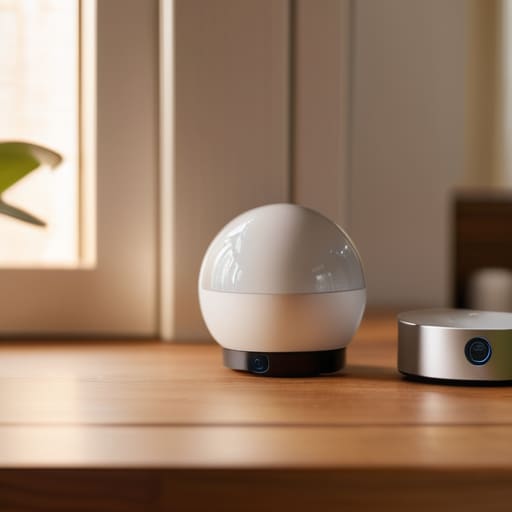
Look, I’ve been there—standing in the middle of a tech aisle with a cart full of gadgets I thought I needed, only to realize half of them don’t talk to each other. When it comes to home automation budget planning, the biggest mistake you can make is trying to do everything at once. It’s tempting to go all-in on the latest shiny stuff, but I always tell people to start small. Pick one problem to solve—maybe it’s lighting or a doorbell—and build from there. This keeps your costs manageable and prevents you from feeling overwhelmed by a house full of tech that doesn’t play nice.
Instead of buying a bunch of random stuff, focus on investing in a few essential smart home gadgets that actually add value to your daily routine. I’d rather spend a little extra on a high-quality smart hub or a reliable router than waste money on cheap sensors that fail every two weeks. Think of it like building a house: you want a solid foundation first. By prioritizing quality over quantity, you’ll find that integrating smart devices becomes a lot smoother and much easier on your wallet in the long run.
5 Ways to Pick Tech That Actually Works (Without Losing Your Mind)
- Start with a single problem, not a whole house. Don’t go out and buy a dozen gadgets just because they look cool on a commercial. Pick one thing that’s actually annoying you—maybe it’s the lights being too bright at night or forgetting to lock the front door—and buy tech that solves that specific headache first.
- Check the “will it talk to my other stuff” factor. Before you tap “buy,” look at the box or the description for things like “Works with Alexa” or “Apple HomeKit compatible.” If your new smart plug can’t talk to your existing smart hub, you’re just buying an expensive paperweight that’ll require five different apps to run.
- Prioritize reliability over fancy features. I’ve learned the hard way that a gadget with twenty different “modes” is useless if it disconnects from your Wi-Fi every three days. Look for reviews that mention stability and ease of setup; a simple device that works every single time is worth way more than a high-tech one that’s constantly glitching.
- Don’t forget about your internet’s “heavy lifting” capacity. Every new smart bulb, camera, and plug eats up a little bit of your Wi-Fi bandwidth. If you’re planning on adding a dozen devices at once, make sure your router can actually handle the crowd, or you’ll end up with a house full of tech that’s perpetually “offline.”
- Think about the “grandma test.” Ask yourself: if a friend came over and needed to use this device, could they do it without a manual? If a piece of tech is so complicated that you need a PhD just to dim the lights, it’s going to become a burden rather than a help. Aim for tech that feels intuitive, not intimidating.
Quick Tips to Keep You on Track
Stick to one ecosystem first—don’t buy a bunch of gadgets that can’t talk to each other, or you’ll end up with a headache instead of a smart home.
Start small and solve real problems, like lighting or security, rather than buying tech just because it looks cool on a shelf.
Always check the “hidden” costs, like subscription fees for cameras or extra hubs, so your budget doesn’t blow up halfway through the setup.
The Golden Rule of Home Tech
Don’t go out and buy a dozen gadgets just because they look cool on a spec sheet; if it doesn’t actually make your daily routine a little smoother or save you a bit of time, it’s just more expensive clutter waiting to happen.
Nathan Cole
Don't Get Bogged Down in the Details
At the end of the day, building a smart home isn’t about having the flashiest gadgets or the most expensive setup on the block. It’s about making sure your devices actually talk to each other through a solid ecosystem and that you aren’t blowing your entire savings on a single smart lightbulb. We’ve covered how to check for compatibility, how to set a realistic budget, and how to prioritize the things that actually make your daily life easier—like a thermostat that saves you money or a doorbell that keeps you feeling secure. Just remember to start small and build outward at your own pace.
I know that looking at a sea of specs and jargon can feel a bit overwhelming, but I promise you, it’s all much more figure-out-able than it looks. You don’t need to be a computer scientist to make your home work for you; you just need a little bit of patience and a clear plan. Treat this like any other DIY project around the house: grab your tools, take it one step at a time, and don’t be afraid to tinker until it’s just right. You’ve got this, and honestly, there’s nothing quite like the feeling of sitting back in a home that you’ve successfully customized yourself.
Frequently Asked Questions
I’ve got a bunch of different brands already—how do I know if they'll actually talk to each other once I add new stuff?
Look, I’ve been there—standing in my living room with three different apps and zero way to make them play nice. The trick is to look for “the big three”: Matter, Thread, or a platform like Apple Home, Alexa, or Google Home. Before you tap “buy,” check the box for those logos. If your new gadget says it works with your existing hub, you’re golden. If not? You’re just buying yourself another headache.
Is it worth spending the extra cash on the high-end gear, or can I get the same results with the cheaper stuff from big-box stores?
Look, I’ve been there—staring at a $200 smart hub versus a $30 one from the big-box store, wondering if I’m just paying for a fancy logo. Here’s the truth: for basics like smart bulbs or plugs, the cheaper stuff usually does the job just fine. But if you’re looking at things that run your whole house—like security cameras or central hubs—that’s where I say invest the extra cash. Reliability is worth the premium.
How do I keep all this new tech from making my home internet run like molasses?
Look, I get it. You add a few smart bulbs and a security camera, and suddenly your Netflix starts buffering right when the game gets good. To keep things snappy, first, get yourself a decent mesh Wi-Fi system—it’s way better at spreading the signal than that dusty router your ISP gave you. Next, keep your heavy hitters, like gaming consoles or work laptops, on a wired ethernet connection if you can. It clears the airwaves for everything else.