
I still remember the absolute panic of my first big virtual meeting—sitting there in a wrinkled t-shirt, staring at a frozen screen while my Wi-Fi decided to take a nap right as the hiring manager asked me a question. It felt less like a professional milestone and more like a total disaster waiting to happen. Most of the advice you find online about remote job interview tips is way too high-maintenance, telling you that you need a studio-grade lighting kit or a dedicated office space that looks like a Pinterest board. Honestly, that’s just noise. You don’t need a Hollywood production to land a great gig; you just need to make sure your tech doesn’t betray you when it matters most.
I’m not here to sell you on some expensive gear or complicated corporate jargon. Instead, I’m going to break this down into simple, actionable steps that you can actually pull off with whatever you’ve got lying around the house. We’re going to tackle the basics—from testing your connection to setting up a decent background—so you can stop stressing about the small stuff and actually focus on the conversation. Let’s get you ready to nail this thing.
Table of Contents
Fix Your Remote Interview Technical Setup Step by Step
First things first, let’s talk gear. You don’t need a studio-grade camera, but you do need to make sure your tech isn’t going to flake out mid-sentence. I always tell people to treat their remote interview technical setup like prepping a workspace before a big project: check it twice. Test your mic and webcam at least twenty minutes before the call starts. If you’re using a laptop, plug it into a power source; there is nothing more stressful than seeing that “10% battery” warning pop up right when you’re explaining your best career win.
Next, let’s look at your surroundings. You don’t need a fancy office, but you should aim for a clean, clutter-free space that won’t distract the person on the other side. If your room is a mess, find a plain wall or use a subtle blur filter. Most importantly, pay attention to your lighting for virtual meetings. Avoid sitting with a bright window directly behind you, or you’ll end up looking like a shadowy silhouette. Instead, face a window or put a lamp in front of you so they can actually see your face.
Perfect Your Lighting for Virtual Meetings Easily
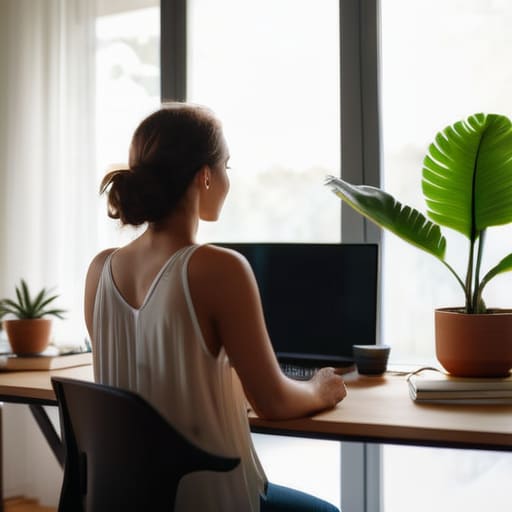
Look, you don’t need a Hollywood studio setup to look decent on camera, but you definitely don’t want to look like you’re filming a horror movie in a dark basement. The biggest mistake I see people make is sitting with a bright window directly behind them. That just turns you into a dark, mysterious silhouette, which isn’t exactly the “hire me” vibe we’re going for. Instead, try to face your light source. If you’ve got a window, sit facing it. If it’s nighttime, grab a desk lamp and position it slightly behind your monitor so the light hits your face evenly.
Getting your lighting for virtual meetings right is one of those small tweaks that makes a massive difference in how much you connect with the interviewer. When your face is clear and well-lit, it’s much easier to maintain natural eye contact in video interviews, even if you’re actually just staring at a little green light on your webcam. It builds trust and keeps the focus on what you’re saying rather than the shadows under your eyes. Keep it simple: even light, no backlighting, and you’re golden.
5 Ways to Nail the "Human" Side of a Virtual Interview
- Dress for the job, not the couch. I know it’s tempting to keep those sweatpants on since they’re under the desk, but putting on a real shirt and actual shoes changes your mindset. It’s like putting on work boots instead of flip-flops; it just makes you feel ready to get to work.
- Master your background without a renovation. You don’t need a fancy home office to look professional. Just clear away the pile of laundry or the stack of old magazines. A clean, simple corner of a room shows you’ve got your act together without looking like you’re trying too hard.
- Eye contact is all about the lens. This one is tricky, but try to look at the little camera hole on your laptop rather than the person’s face on the screen. It feels weird at first, I know, but to them, it looks like you’re looking them right in the eye, which builds way more trust.
- Prep a “cheat sheet” for your desk. One of the best perks of a remote setup is that you can have notes right in front of you. Tape a few bullet points of your biggest wins or questions you want to ask to the side of your monitor. Just don’t read them like a script—use them as a quick nudge if your brain freezes up.
- Run a “dry run” five minutes early. Don’t just hope the link works. Click it, check your mic, and make sure your audio isn’t crackling. Treating it like a pre-flight checklist takes the “what if” anxiety out of the equation so you can focus on the actual conversation.
Quick Wins for Your Interview Day
Treat your tech like a pre-flight checklist—test your mic, camera, and internet connection at least twenty minutes before you go live so you aren’t scrambling at the last second.
Don’t overthink your lighting; just find a window or a simple lamp to make sure they can actually see your face instead of staring at a silhouette.
Keep your workspace clean and simple, because a clutter-free background helps you stay focused on the conversation rather than the mess behind you.
## The Bottom Line
“At the end of the day, an interview is just a conversation. Don’t let a fuzzy webcam or a messy background make you feel like you aren’t ready; just get your gear sorted, clear your space, and focus on showing them who you are.”
Nathan Cole
You’ve Got This
Look, I know all this prep work—checking your Wi-Fi, fiddling with the webcam, and hunting for the perfect lamp—can feel like a lot of extra chores before the actual job even starts. But just like when I’m prepping a kitchen for a big meal or organizing a toolbox, getting your environment dialed in ahead of time means you won’t be scrambling when the pressure is on. By smoothing out the tech glitches and setting up a clean, well-lit space, you’ve essentially removed the distractions that pull focus away from what really matters. You’ve done the heavy lifting, and now you can finally stop worrying about the gear and start focusing on showing them who you are.
At the end of the day, remember that the person on the other side of that screen is just another human being looking for a teammate. They aren’t expecting a Hollywood production; they just want to see that you’re prepared, capable, and ready to dive in. Don’t let a little bit of digital nerves get in your way. You’ve put in the work, you’ve checked your settings, and you’ve built a solid foundation. Now, take a deep breath, trust your preparation, and go get that job. You’ve totally got this.
Frequently Asked Questions
What should I do if my internet starts acting up right in the middle of the interview?
First, don’t panic. If your screen freezes, take a breath. If you’re on a laptop, immediately try switching to your phone’s hotspot—it’s often more reliable than a glitchy Wi-Fi signal in a pinch. If that fails, send a quick email or text to your recruiter right away. Let them know you’re having tech issues and offer to jump on a regular phone call. It shows you can troubleshoot under pressure.
Is it okay to have a messy background, or do I need to go buy a professional backdrop?
Look, I’m all for a “real life” vibe, but you don’t need to drop a hundred bucks on a professional studio backdrop. If your background looks like a laundry pile exploded, it’s going to be a distraction. You don’t need perfection, just order. Clear a small patch of wall, tidy up the bookshelf behind you, or even use a simple blur filter. Keep it clean, keep it simple, and keep the focus on you.
How do I make sure I'm looking at the camera instead of my own face on the screen?
This is a classic one, and honestly, it’s the hardest part of looking “natural” on camera. We all do it—we stare at our own little video box to make sure our hair looks okay, but then it looks like we’re looking down to the interviewer.
