
I remember sitting at my kitchen table last Tuesday, staring at my laptop screen with a knot in my stomach that felt exactly like looking at a pile of unwashed dishes or a broken sink I didn’t know how to fix. Every time I refreshed, more junk piled up—newsletters I never signed up for, CC’d threads that had nothing to do with me, and those nagging “urgent” requests that never actually felt urgent. I used to think reaching inbox zero was some high-level productivity hack reserved for CEOs with personal assistants, a sort of digital perfectionism that was just out of reach for a guy like me.
But here’s the thing: you don’t need a complex system or a fancy paid subscription to get control back. I’ve spent the last few weeks tinkering with my own workflow, stripping away the fluff, and I’ve realized that most of the “expert” advice out there is just unnecessary noise. I’m going to show you how to tackle this using a few straightforward, manual steps that actually work in the real world. No fluff, no expensive software—just a practical way to clear the clutter so you can finally stop worrying about your email and get back to your actual life.
Table of Contents
Mastering Simple Email Organization Techniques

Before you start deleting everything in sight, you need a system that actually works for your daily life. I’ve found that the best email organization techniques aren’t about complex coding; they’re about setting up a few basic rules so the chaos doesn’t come rushing back the next morning. Start by creating three simple folders: “Action Required,” “Awaiting Reply,” and “Archive.” Instead of letting every single message sit in your main view, move it into one of these buckets immediately. This is the core of reducing digital clutter—you aren’t just hiding emails; you’re giving them a designated home so your eyes can actually rest.
Another trick I swear by is setting up effective email filtering to handle the junk before you even see it. If you get those daily newsletters or automated receipts that you only need once a month, don’t let them hit your primary inbox. Set up a rule to automatically skip the inbox and land them straight into a “Read Later” folder. It’s a small tweak, but it makes a massive difference in managing email overload because you’re only reacting to things that actually need your attention.
Reducing Digital Clutter One Click at a Time
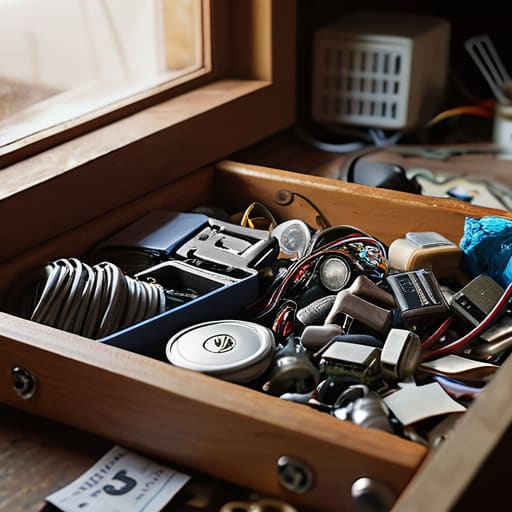
Think of your inbox like a junk drawer in your kitchen. We all have one—that one spot where random batteries, old receipts, and mystery keys go to die. If you don’t clean it out regularly, you eventually can’t find anything. The same thing happens with your digital life. Reducing digital clutter isn’t about deleting every single thing you’ve ever received; it’s about clearing out the noise so you can actually see what matters. I started by unsubscribing from every retail newsletter that wasn’t giving me a deal I actually wanted. It sounds small, but it stops the bleeding immediately.
Once you’ve stopped the influx of junk, you need to set up some guardrails. I’m a big fan of using effective email filtering to do the heavy lifting for me. You can set up rules that automatically move receipts to a “Finance” folder or send those annoying “social media notification” emails straight to the trash. By automating these little tasks, you’re essentially building a digital sorting machine. It takes about twenty minutes to set up, but it saves you hours of manual clicking down the road.
My Five Go-To Moves for Keeping the Chaos at Bay
- Use the “Two-Minute Rule” religiously. If an email lands in your inbox and you can answer it or take care of it in under two minutes, just do it right then. Don’t let it sit there and rot; if it’s quick, knock it out and move on.
- Set up some basic filters to act like your digital bouncers. You don’t need to see every single newsletter or receipt the second they hit your server. Have them skip the inbox and go straight into a “To Read” or “Receipts” folder so they aren’t cluttering up your workspace.
- Unsubscribe like it’s your job. We’ve all done it—signed up for a discount code once and now we’re getting daily emails from a store we haven’t visited in three years. If you haven’t opened an email from a sender in a month, hit that unsubscribe button. It’s better than deleting them every single day.
- Create “Action” folders instead of just archiving everything. Sometimes I like to have a folder specifically for “Needs Reply” or “Waiting on Someone Else.” It keeps the important stuff front and center without letting it sit in the main inbox like a pile of unwashed dishes.
- Schedule your “Email Check-ins.” Checking your inbox every five minutes is a one-way ticket to losing your focus. I try to pick three or four specific times a day to dive in, handle business, and then close the tab. It keeps you in control of the email, rather than the email controlling you.
The Quick Fix: My Top Three Takeaways
Don’t let the mountain intimidate you; just pick one small corner of your inbox to tackle at a time, and you’ll build the momentum you need to finish the job.
Treat your unsubscribes like junk mail—if you haven’t opened a newsletter in a month, kill it off immediately so you aren’t fighting the same battle next week.
Remember that “Inbox Zero” isn’t about being perfect or having a pristine screen; it’s just about getting your digital workspace to a point where it stops stressing you out.
## A Shift in Perspective
“Look, Inbox Zero isn’t about being some kind of digital perfectionist or spending your whole life staring at a screen; it’s just about clearing the workbench so you can actually get to the real work without feeling like you’re drowning in unread messages.”
Nathan Cole
Bringing It All Home

Look, I know it sounds a bit intense when people talk about “Inbox Zero” like it’s some holy grail of productivity, but it’s really just about getting your tools in order. We’ve talked about setting up those quick organization systems, carving out time for maintenance, and—most importantly—slashing that digital clutter before it has a chance to pile up. It’s not about having a perfectly empty screen every single second of the day; it’s about making sure that when you sit down to work, you aren’t fighting an uphill battle against a thousand unread notifications. Once you get these small, repeatable habits down, you’ll find that managing your email becomes a background task rather than a full-time job that follows you into your weekend.
At the end of the day, don’t let the fear of a messy inbox stop you from even trying. If you try to tackle the whole mountain at once, you’re just going to end up staring at the screen with a headache. Just pick one thing—maybe it’s unsubscribing from those junk newsletters or just archiving one old thread—and start right there. I promise you, that feeling of clicking “empty inbox” for the first time is a massive win. You’ve got this, and honestly, once you start seeing the progress, you won’t want to go back to the chaos. Now, go grab a coffee, close those tabs, and get to work.
Frequently Asked Questions
Does "inbox zero" mean I actually have to delete every single email I've ever received?
Short answer: Heck no. If I deleted every email I’d ever received, I’d probably lose my tax records and that one recipe for slow-cooked chili I actually like. Inbox zero isn’t about having a graveyard of empty folders; it’s about making sure your current workspace isn’t a mess. Think of it like cleaning a workbench—you don’t throw away your tools, you just clear off the sawdust so you can actually see what you’re working on.
How do I handle those annoying newsletters that I keep meaning to unsubscribe from but never actually do?
Look, I’ve been there. My inbox used to look like a digital junk drawer, overflowing with “special offers” I never wanted. Don’t just delete them—that’s like sweeping dust under a rug. Instead, try the “One-In, One-Out” rule: every time you open a newsletter you don’t read, scroll straight to the bottom and hit unsubscribe immediately. It takes ten seconds, but it stops the bleeding and keeps that clutter from coming back.
Is it possible to maintain a clean inbox if my job requires me to respond to dozens of emails every single day?
Look, I get it. When your job is basically “responding to people all day,” the idea of a clean inbox feels like trying to mop a floor while the faucet is still running. It’s tough. But you don’t need a zeroed-out inbox to be productive; you just need a system that keeps you from drowning. It’s less about deleting everything and more about moving “done” tasks out of your sight so you can actually focus.
