
I was halfway through seasoning a cast-iron skillet the other day when I realized I’d spent the last ten minutes scrolling through a thread about nothing in particular. My hands were greasy, my dinner was getting cold, and my brain felt like it had been scoured with sandpaper. It’s that mindless, twitchy reflex where you reach for your pocket before you even realize you’re bored. I know I’m not the only one struggling with how to stop checking your phone every time there’s a tiny gap in the day, but it’s a frustrating cycle that makes you feel like you’re losing your grip on the actual world around you.
Look, I’m not going to tell you to throw your device in a lake or delete every single app you own—that’s just not realistic for anyone living a real life. Instead, I want to share the practical, low-friction tweaks I’ve used to get my focus back without making my life miserable. We’re going to break this down into a few simple, hands-on steps that actually work. I’ll show you how to rewire those habits so you can finally reclaim your attention and get back to the things that actually matter.
Table of Contents
Spotting the Smartphone Dependency Symptoms Early
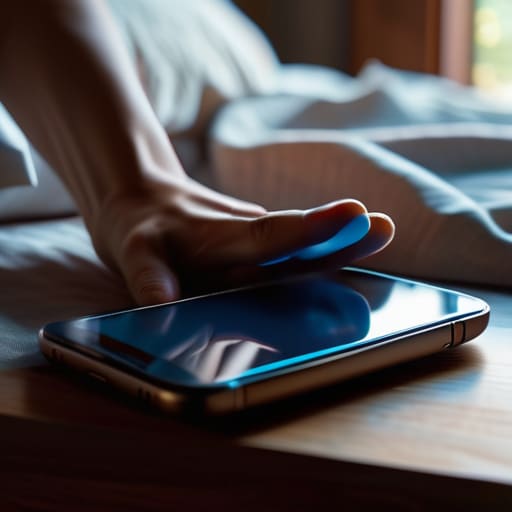
Before we start tearing things down and rebuilding your habits, we need to figure out exactly what we’re up against. I like to think of this like diagnosing a weird rattle in a car engine; you can’t fix the problem until you know where the noise is coming from. For me, it started when I realized I was reaching for my device before I’d even fully opened my eyes in the morning. If you find yourself scrolling through feeds while waiting for the coffee to brew, or if you feel a weird sense of phantom anxiety when your pocket feels “light,” you might be noticing some early smartphone dependency symptoms.
It’s not just about the time spent; it’s about how your brain reacts. Have you ever sat down to work on a project, only to realize twenty minutes later that you’ve been staring at a random thread on Reddit? That’s a classic sign of overcoming dopamine loops becoming a real necessity. When your brain starts craving that tiny hit of novelty every few minutes, your ability to stay on task takes a massive hit. Recognizing these patterns is the first step toward actually regaining control.
Overcoming Dopamine Loops With Simple Fixes

Here’s the thing about those apps: they’re literally designed to keep you hooked. Every time you see a red notification bubble or a fresh like on a photo, your brain gets a tiny hit of dopamine. It’s a cycle that’s hard to break because it feels like a reward, even when you’re just scrolling aimlessly. If you want to start overcoming dopamine loops, you have to stop playing by their rules. I started by turning off every single non-human notification on my phone. If it isn’t a text or a call from a real person, I don’t need my pocket buzzing to tell me about it.
Once you’ve cut the noise, you can start implementing some actual digital wellbeing strategies that stick. One trick I swear by is moving your most distracting apps off your home screen and into a folder tucked away on the last page. It adds just enough “friction” to make you think twice before clicking. It’s not about quitting tech cold turkey; it’s about reclaiming your intentionality so you’re choosing to use your device rather than letting it use you.
5 Low-Effort Tweaks to Reclaim Your Attention
- 1. Turn off those non-human notifications. I used to get a buzz every time a random app had a “sale” or a news update, and it was driving me nuts. Go into your settings and kill everything except for actual texts, calls, or calendar alerts. If it isn’t a real person trying to reach you, it doesn’t need to interrupt your life.
- 2. Create “Phone-Free Zones” in your house. For me, the kitchen table and the bedroom are sacred. I started leaving my phone in the living room when I go to bed, and honestly, it changed my whole morning. You don’t need to scroll through Twitter before you’ve even brushed your teeth.
- 3. Try the “Grayscale Trick.” This one sounds a little weird, but it works. Most of our apps are designed with bright, flashy colors to keep our brains hooked. If you switch your phone’s display to grayscale in the accessibility settings, those apps suddenly look a lot more boring, and you’ll find yourself putting the phone down much faster.
- 4. Use a physical tool instead of an app. I realized I was checking my phone just to see the time or check the weather, which always led to a 20-minute rabbit hole. Now, I keep a cheap digital clock on my nightstand and a basic thermometer in the kitchen. It sounds old-school, but it keeps the “black hole” of the smartphone out of my immediate space.
- 5. Set a “Digital Sunset.” Pick a time—maybe 8:00 PM or 9:00 PM—where the phone goes on the charger and stays there. Instead of doomscrolling until your eyes burn, use that time to actually do something with your hands, like reading a book or even just prepping your gear for the next day. It helps your brain wind down properly.
The Quick Fix Summary
Start small by making tiny tweaks to your settings—like turning off non-essential notifications—rather than trying to go cold turkey overnight.
Recognize that your phone is designed to be addictive, so don’t beat yourself up when you slip; just reset and try a different tactic.
Focus on replacing that “scroll reflex” with something tangible, whether it’s a quick stretch or just looking up from the screen for a minute.
## The Big Picture
“Look, your phone isn’t the enemy, but it is a tool that’s designed to keep you hooked. Breaking the habit isn’t about living like a monk in the woods; it’s just about taking the steering wheel back so you’re the one deciding where your attention goes, instead of letting an app decide for you.”
Nathan Cole
Wrapping It All Up

Look, I know it feels like a massive undertaking, but we’ve covered a lot of ground here. We talked about catching those early warning signs before they turn into a full-blown habit, and we looked at how to actually break those dopamine loops by making some small, practical changes to how you use your device. Whether you’re turning off non-essential notifications or setting specific “no-phone zones” in your house, remember that the goal isn’t to live like a hermit in the woods. It’s just about taking back the driver’s seat so your phone serves you, rather than you serving it.
If you slip up and find yourself doomscrolling at 11:00 PM, don’t beat yourself up. I do it too, usually when I should be sleeping or working on a project. The trick is to just reset and try again the next morning. Most things in life—from fixing a leaky sink to retraining your brain—are just a series of small, manageable repairs. You’ve got the tools and the plan now, so just take it one step at a time. You’ve totally got this.
Frequently Asked Questions
What should I do if I feel anxious or "disconnected" when I actually try to put my phone away?
That “phantom limb” feeling is totally normal—it’s basically your brain going through withdrawal. When that anxiety hits, don’t fight it; just pivot. Instead of staring at a wall, grab something tactile. Clean a junk drawer, prep some veggies, or even just tinker with a tool. Giving your hands something real to do breaks the mental loop and grounds you back in the physical world. It’s about replacing the scroll with something tangible.
Are there any specific apps that can actually help me stay off my phone, or do they just become another distraction?
It’s a fair question, and honestly, it’s a bit of a double-edged sword. If you use an app to “manage” your phone, you’re still staring at the screen. But, if you use them as digital fences, they can work wonders. I like tools like Forest, where you grow a virtual tree by staying focused, or Freedom, which blocks distracting sites entirely. Use them as guardrails, not as new toys to play with.
How do I handle work or family situations where I actually *need* to be reachable without constantly checking my screen?
This is a tricky one because, let’s face it, sometimes you actually do need to be reachable. You can’t exactly go dark if your kid’s school is calling or your boss needs a quick answer. My trick is to stop “passive” checking and start “active” monitoring. Set your phone to “Do Not Disturb” but allow calls from your “Favorites” list. That way, the world stays quiet, but the people who actually matter can still break through.
