I used to think that if I just bought that $800 ergonomic chair or the fancy minimalist desk everyone on YouTube was raving about, I’d suddenly become a machine. But let me tell you, I spent three weeks staring at a pristine, expensive setup feeling absolutely nothing but distracted. Most of the advice you see online about how to build a productive workspace is just high-end window dressing designed to separate you from your paycheck. You don’t need a designer showroom; you need a setup that actually supports your brain instead of just looking pretty for a camera.
I’m not here to sell you on expensive gadgets or complicated organizational systems that take more time to maintain than they actually save. Instead, I’m going to show you how to build a productive workspace using practical, low-cost tweaks that focus on how you actually work. We’re going to look at lighting, cable management, and layout through a common-sense lens. By the end of this, you’ll have a setup that works for you, whether you’re working from a corner of your kitchen table or a dedicated home office.
Table of Contents
Simple Workspace Organization Hacks for a Clear Mind
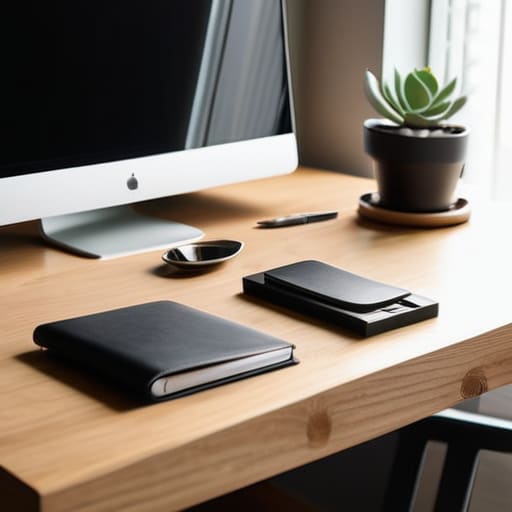
Look, I’ve spent way too many afternoons staring at a pile of half-finished projects and tangled charging cables, wondering why I couldn’t just focus. The truth is, a cluttered desk usually leads to a cluttered brain. One of my favorite workspace organization hacks is the “one-in, one-out” rule. If you bring a new gadget or a stack of notebooks to your desk, something else needs to go into a drawer or the trash. I also swear by using small trays or even old hardware organizers to corral the little stuff like paperclips and thumb drives. Keeping those tiny bits contained makes a massive difference in minimizing desk distractions when you’re actually trying to get into a flow state.
Beyond just tidying up, think about how you actually move while you work. You don’t need a fancy, expensive setup to get it right; it’s more about being intentional. I like to keep only the essential desk accessories for workflow within arm’s reach—think your mouse, a notepad, and a drink. Everything else? Move it. If it’s not helping you finish the task at hand, it’s just visual noise that’s slowing you down.
Essential Desk Accessories for Workflow That Actually Works
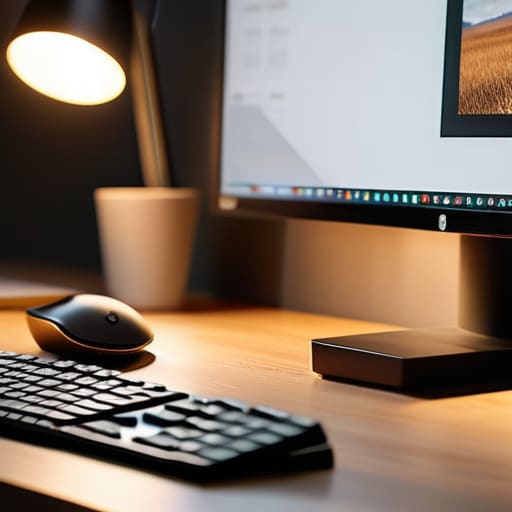
Now, let’s talk gear. I’ve learned the hard way that you don’t need a massive budget or a fancy designer setup to get things moving; you just need the right tools to keep you from fighting your environment. One of the biggest game-changers for me was investing in a decent monitor stand. Getting your screen at eye level isn’t just some corporate buzzword—it’s one of those ergonomic office setup tips that actually prevents that mid-afternoon neck ache. When your body isn’t screaming for attention, your brain can actually stay on task.
I’m also a huge believer in the power of a good desk lamp. Relying solely on that harsh overhead light is a recipe for eye strain and headaches. Instead, try to find a lamp with adjustable warmth to create optimal lighting for productivity. A little bit of soft, directed light can make your desk feel like a dedicated zone rather than just a corner of the kitchen table. Finally, grab a simple cable management tray. There is nothing quite like the mental clutter of a “spaghetti mess” of wires under your feet to kill your momentum. Keep it tidy, keep it simple, and let the work flow.
5 Quick Wins to Level Up Your Setup
- 1. Chase the light. If you can, move your desk near a window. Natural light is a total game-changer for your mood and keeps you from feeling like you’re working in a cave by 3:00 PM. If that’s not an option, grab a decent desk lamp with a warm bulb so you aren’t squinting at your screen all day.
- 2. Manage your cord chaos. There is nothing that kills my focus faster than a “spaghetti mess” of wires under my feet. Grab some cheap velcro ties or even just some masking tape to bundle those cables together. It makes the whole area look cleaner and stops you from tripping every time you move your chair.
- 3. Keep your “active” tools within arm’s reach. I’m a big believer in the “reach rule.” If you use a notebook, a specific pen, or your headphones every single day, they should be right there. Anything you don’t use daily? Tuck it away in a drawer. If it’s cluttering your visual field, it’s cluttering your brain.
- 4. Get your tech on some level ground. If you’re working on a laptop, your neck is going to pay for it by the end of the week. Use a laptop stand—or even a sturdy stack of old textbooks—to get the screen up to eye level. Pair it with an external keyboard and mouse, and suddenly you’ve got a pro-level ergonomic setup for next to nothing.
- 5. Add one thing that isn’t “work.” I like to keep a small plant or even just a cool stone I found on a hike on my desk. It sounds a bit cheesy, but having one non-work item helps break up the clinical, “office” feel and makes the space feel like it actually belongs to you.
The Bottom Line: Making Your Space Work for You
Don’t overcomplicate it—start by clearing the visual clutter so your brain can actually focus on the task at hand.
Invest in tools that serve a purpose, not just stuff that looks cool on a desk; if it doesn’t help your workflow, it’s just more junk to move around.
Remember that a good setup isn’t “set it and forget it”—give yourself permission to tweak and rearrange things as you figure out what actually sticks.
My Golden Rule for Workspaces
“You don’t need a high-end designer setup or a thousand-dollar desk to get things done; you just need a space that isn’t fighting against you every time you sit down to work.”
Nathan Cole
Getting Your Setup Over the Finish Line
At the end of the day, building a productive workspace isn’t about buying every single gadget on the “must-have” list or achieving some Pinterest-perfect aesthetic. It’s about the small, practical wins we talked about: clearing the clutter so your brain can actually breathe, grabbing those essential tools that make your workflow feel seamless, and setting up a layout that serves you instead of fighting you. Remember, you don’t need a massive renovation or a huge budget to make this happen. Just start with one drawer, one corner of the desk, or one better lighting solution, and build from there one piece at a time.
I know that looking at a messy desk or a disorganized life can feel a bit overwhelming, but I promise you, it is all figure-out-able. You don’t have to get it perfect on day one; you just have to get it better than it was yesterday. Think of your workspace like any other project—whether it’s fixing a leaky sink or restoring an old tool—it’s all about taking that first step and sticking with it. So, clear off that pile of papers, grab a decent lamp, and get to work. You’ve totally got this.
Frequently Asked Questions
I don't have a dedicated office room; can I still build a productive setup in a small corner of my bedroom or living room?
Look, I’ve been there. I spent two years working out of a corner of my bedroom, and I know how easy it is for your “office” to feel like just another pile of laundry. But you absolutely can make it work. It’s all about creating a mental boundary. Even if it’s just a small desk in a corner, if you treat that spot with intention, your brain will start to recognize it as “work mode.”
How much should I actually spend on gear before I'm "set up"—is there a way to do this on a tight budget?
Look, I get it. You see those $500 ergonomic chairs and high-end mechanical keyboards and think you need them to be productive. You don’t. Honestly? Most of that is just shiny distractions. Start with what you have. If your chair hurts your back, grab a cheap lumbar pillow or even a rolled-up towel. Spend your money where it actually touches your body or your work—like a decent mouse or a solid lamp. Everything else can wait.
How do I stop myself from getting distracted by my phone or other gadgets once I finally have my perfect desk ready?
Look, I’ve been there. You finally get the perfect desk setup, and then—ping—your phone pulls you right out of the zone. It’s a killer. My go-to trick? Out of sight, out of mind. Put your phone in a drawer or another room entirely. If you need it for work, turn on “Do Not Disturb” and flip it face down. If you can’t see the screen lighting up, you’re way less likely to grab it.
