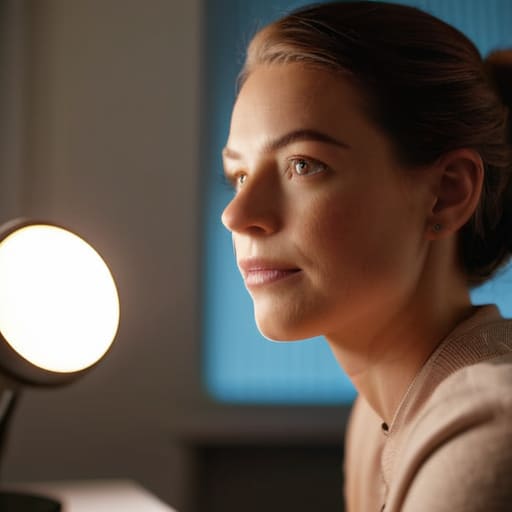
I’ll be the first to tell you: you don’t need to drop three hundred bucks on a professional ring light or a high-end DSLR just to stop looking like a grainy ghost in your weekly meetings. I used to think that learning how to look better on video calls meant buying a whole new setup, but honestly, most of those “pro” gear recommendations are just expensive fluff designed to separate you from your paycheck. I’ve spent way too much time staring at my own face in a dark, blurry rectangle, feeling like I looked like a basement-dwelling gremlin, only to realize the fix wasn’t in my wallet—it was in my environment.
I’m not here to sell you on fancy gadgets or complicated studio setups that take an hour to calibrate. Instead, I’m going to show you how to use what you already have around the house—like a simple desk lamp or a well-placed window—to make a massive difference. We’re going to tackle the small, totally doable tweaks to your lighting, angle, and background that will make you look sharp and professional without the stress. Let’s get to work.
Table of Contents
Improving Webcam Video Quality With Basic Lighting

Look, you don’t need to go out and drop a few hundred bucks on a studio ring light to get a decent image. Most of the time, the problem isn’t your expensive laptop; it’s just that you’re sitting in a dark corner. The biggest mistake I see is people having a bright window behind them, which turns them into a dark, mysterious silhouette. Instead, try to face that window. Natural light is your best friend for improving webcam video quality without spending a dime.
If it’s nighttime or you’re in a basement office, grab a desk lamp. Don’t point it directly at your face—that just makes you look like you’re being interrogated by the police. Instead, aim it at the wall behind your monitor or use a piece of white paper to soften the glow. This simple trick creates a much more even, natural look. It’s the easiest way to build a professional video call lighting setup using stuff you already have in your junk drawer.
Finding the Best Camera Angles for Remote Meetings
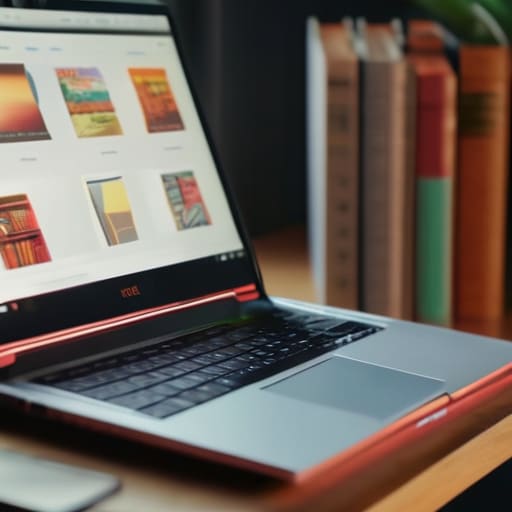
Once you’ve got your lighting sorted, the next thing that usually trips people up is the “nose view.” We’ve all been there—staring down at a laptop sitting on a desk, which basically turns your webcam into a camera pointed straight up your nostrils. It’s not exactly the look we’re going for. To find the best camera angles for remote meetings, you need to get that lens closer to eye level. I usually just grab a couple of thick hardcover books or a sturdy laptop stand to prop my gear up. It might look a little silly while you’re setting it up, but it makes a massive difference in how you carry yourself.
When you’re adjusting your setup, try to aim for a slight angle rather than looking perfectly flat at the screen. You want the camera to feel like a person sitting across from you, not a security camera mounted on a wall. I also recommend checking your frame to make sure you aren’t cutting off the top of your head or leaving too much empty space above you. A little bit of trial and error goes a long way here, so take a second to peek at your preview window before the meeting actually starts.
Five Quick Fixes for a Polished Look
- Clean your lens. I know it sounds silly, but we touch our laptops and tablets all day, leaving a thin film of finger grease on the camera. Grab a microfiber cloth—or even a clean cotton t-shirt if you’re in a pinch—and give that little glass circle a quick wipe. You’ll be surprised how much sharper you look instantly.
- Watch your background clutter. You don’t need a fancy home office, but try to avoid having a pile of laundry or a messy bookshelf right behind your head. If your room is a disaster, don’t sweat it; just use the “blur background” setting in Zoom or Teams. It’s a lifesaver for keeping the focus on you.
- Dress for the job, even if you’re at home. You don’t need a suit, but swapping your old college hoodie for a clean polo or a decent sweater makes a huge difference in how people perceive your professionalism. Just avoid super busy patterns or tiny stripes, as they can sometimes “vibrate” or look weird on camera.
- Mind your eye contact. It feels unnatural at first, but try to look at the little camera hole instead of your own face on the screen. When you look at the lens, it feels like you’re actually looking the other person in the eye, which makes the whole conversation feel way more personal and engaging.
- Check your audio levels. You can have the best lighting in the world, but if you sound like you’re underwater, nobody’s going to care how good you look. If you have a decent pair of earbuds with a mic, use them. It cuts out the room echo and makes you sound much more clear and confident.
The Quick Fix Checklist
Stop fighting your grainy webcam and start playing with your light—just move a lamp closer or face a window, and you’re halfway there.
Get that camera off the desk and up to eye level; a quick stack of books can stop you from looking like you’re staring down at your coworkers.
Don’t overthink the tech; most of these tweaks take less than five minutes and make you look way more professional without spending a dime.
## The Big Picture
“At the end of the day, you don’t need a studio-grade setup to look professional; you just need to stop fighting your environment and start working with what you’ve already got in your living room.”
Nathan Cole
You’ve Got This
Look, we’ve covered a lot of ground here, but it really boils down to a few simple moves. You don’t need a professional studio setup or a thousand-dollar camera to stop looking like a grainy shadow in a dark room. Just remember to get some decent light on your face, tilt that laptop up so you aren’t staring down into your nostrils, and keep your background from looking like a cluttered garage sale. Once you nail those basics, you’ll notice a massive difference in how you come across to your coworkers and clients. It’s all about making those small, intentional adjustments that make the whole experience feel a lot more polished and professional.
At the end of the day, don’t let the tech stuff get in your head or make you feel self-conscious. I’ve spent plenty of time tinkering with tools and gadgets, and I promise you, the gear is the easy part—it’s the person behind the screen that actually matters. These tweaks are just there to help your personality shine through without the distraction of a bad connection or a weird angle. So, go ahead and give it a shot during your next meeting. You’ll feel more confident, you’ll look better, and you’ll realize that most things are way more figure-out-able than they first appear.
Frequently Asked Questions
I don't have a fancy ring light—can I just use a desk lamp or a window without it looking weird?
Look, you definitely don’t need a fancy ring light to look decent. I’ve used a desk lamp more times than I can count. Just aim it at the wall behind your monitor instead of directly at your face—it softens the light so you don’t look like you’re being interrogated. If you’re using a window, try to face it. Natural light is your best friend, just avoid having that bright sun right behind you.
My laptop's built-in mic sounds like I'm underwater; is there a cheap way to fix my audio without buying a pro headset?
The “underwater” sound is usually just your laptop’s mic picking up the internal fan or echoing off your desk. Before you drop cash on a headset, try this: grab your smartphone and use it as your mic. You can plug your phone into your computer via USB or use an app like WO Mic. It’s way more sensitive than a laptop mic, and since you already own it, it’s a total zero-dollar fix.
What should I do about a messy background if I don't have a dedicated home office?
The “Background Shuffle”: How to Fix a Messy Room Without a Home Office
