
I remember sitting at my kitchen table last Tuesday, staring at a mountain of half-finished projects and a laptop screen that felt like it was mocking me. I had three different “productivity apps” open, all of them flashing bright colors and sending me notifications, but I still hadn’t actually done anything useful. It’s funny how we try to solve a simple lack of focus by buying more expensive digital junk, when the truth is, most of those high-tech solutions are just distractions in disguise. I realized I didn’t need a fancy subscription; I just needed to try the pomodoro technique to see if breaking my work into small, timed bites could actually stop the mental spinning.
Look, I’m not here to sell you on some magical productivity miracle that’s going to turn you into a robot. I just want to show you how I use the pomodoro technique to stop procrastinating and actually get through my to-do list without feeling like my brain is melting. I’m going to break down exactly how it works, how I tweak it to fit my own messy schedule, and how you can start doing it today without any complicated setup.
Table of Contents
- Optimizing Your Productivity Workflow With Simple Timer Intervals
- Using Deep Work Principles to Conquer Your Biggest Projects
- Five Ways to Make the Pomodoro Method Actually Work for You
- The Quick Version: How to Make This Work for You
- My Take on the Timer
- Making It Work for You
- Frequently Asked Questions
Optimizing Your Productivity Workflow With Simple Timer Intervals

Once you’ve got the concept down, the real magic happens when you start fine-tuning your pomodoro timer intervals to match how your brain actually works. I used to think I could power through a four-hour stretch of work without stopping, but I’d usually end up staring blankly at my screen by hour two. Instead of fighting that mental fog, I started leaning into deep work principles by setting a timer for 25 minutes of focused effort followed by a quick five-minute breather. It sounds almost too simple, but it keeps your brain from hitting that wall where you’re working hard but accomplishing absolutely nothing.
The trick is to treat those short breaks like a mandatory pit stop. When the timer dings, you have to actually step away—stretch your legs, grab some water, or just look out the window. This isn’t just about laziness; it’s a core part of avoiding burnout with breaks throughout the day. By managing your energy instead of just your time, you stop feeling like a machine and start feeling like a person who actually has the headspace to finish the job right.
Using Deep Work Principles to Conquer Your Biggest Projects

Now, here’s where things get interesting. While the standard intervals are great for clearing out your inbox or tackling small chores, they aren’t always enough when you’re staring down a massive, intimidating project. This is where I like to bring in some deep work principles to keep me from spinning my wheels. Instead of just blindly following a timer, I try to align my intervals with the actual weight of the task. If I’m trying to write a complex report or learn a new piece of software, I’ll stretch those sessions out a bit longer to really get into the zone.
The trick is learning how to balance that intense focus with smart cognitive load management. You can’t just redline your brain for eight hours straight without hitting a wall. I’ve found that by treating my focus sessions like heavy lifting at the gym, I can push harder during the “on” periods because I know a real, restorative break is coming. It’s all about avoiding burnout with breaks that actually work—meaning I step away from the screen entirely rather than just scrolling through my phone.
Five Ways to Make the Pomodoro Method Actually Work for You
- Pick a timer that isn’t your phone. I know, it sounds counterintuitive, but if your phone is right there, you’re one notification away from falling down a YouTube rabbit hole. Grab a cheap kitchen timer or a dedicated desk timer so you aren’t tempted to check your texts every time the screen lights up.
- Treat your breaks like a real reset, not just a scroll through social media. If you spend your five-minute break reading news comments, your brain isn’t actually resting. Stand up, stretch, grab some water, or just stare out the window for a minute. You need to give your eyes and your mind a genuine break from the screen.
- Keep a “distraction log” next to you. When you’re mid-sprint and suddenly remember you need to buy more lightbulbs, don’t stop what you’re doing. Write it down on a notepad and get back to work. You can deal with the lightbulbs during your long break once the timer goes off.
- Don’t be a slave to the clock if you’re in the zone. If the timer dings but you’re finally making real headway on a tough task, finish that thought or that paragraph. The Pomodoro technique is a tool to help you, not a drill sergeant meant to interrupt your flow. Just make sure you take a longer break once you finally do step away.
- Adjust your intervals to fit your actual energy levels. If 25 minutes feels too short because you take forever to get settled, try 50 minutes of work followed by a 10-minute break. There’s no “one size fits all” here—it’s all about finding the rhythm that keeps you moving without making you feel like you’re hitting a wall.
The Quick Version: How to Make This Work for You
Don’t get hung up on the “perfect” timer; the goal is just to stop multitasking and give your brain a clear finish line for every task.
Use those short breaks to actually step away from your screen—stretch, grab some water, or pace around—so you don’t end up just scrolling on your phone.
Be ready to tweak the intervals to fit your own rhythm, because if a 25-minute sprint feels too short for your flow, it’s okay to adjust the settings.
My Take on the Timer
“Look, I’m not a productivity guru, but I’ve learned that staring at a mountain of work is how you get paralyzed. The Pomodoro technique isn’t about being a robot; it’s just about telling yourself, ‘I can do anything for twenty-five minutes,’ and realizing that once you start, the hardest part is already over.”
Nathan Cole
Making It Work for You
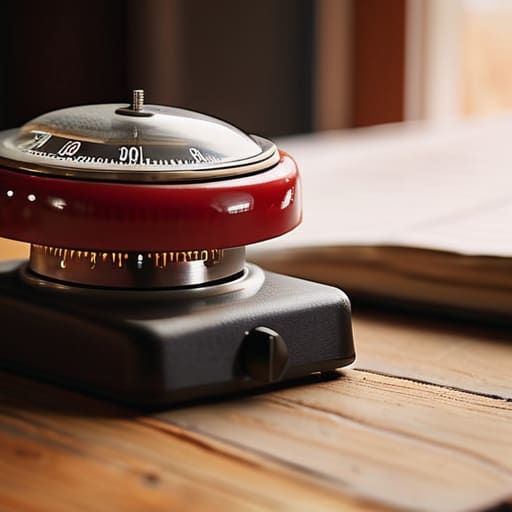
At the end of the day, the Pomodoro Technique isn’t some magic spell that’s going to turn you into a productivity robot overnight. It’s really just about finding a rhythm that works for your specific brain. We’ve talked about how those small timer intervals keep you from feeling overwhelmed and how leaning into deep work can help you actually move the needle on those massive projects that have been sitting on your list for weeks. Whether you’re using a fancy app or just a rusty old kitchen timer from your junk drawer, the goal is the same: stop staring at the mountain and just start climbing one small step at a time.
Look, I know how it feels when your to-do list starts looking like a mountain you just can’t climb. I’ve been there, staring at a messy desk or a broken project, feeling like I’m spinning my wheels. But I promise you, most things are way more figure-out-able than they look when you’re staring at them all at once. Don’t worry about being perfect or following the intervals to the exact second. Just pick one task, set a timer, and get moving. You’ve got this, and honestly, the feeling of crossing that first thing off your list is better than any caffeine kick.
Frequently Asked Questions
What do I do if I'm right in the middle of a flow state when the timer goes off?
Look, I get it. There is nothing worse than being “in the zone” and having a loud timer snap you out of it like a bucket of cold water. If you’re in a true flow state, don’t kill the momentum just because the clock says so. Give yourself a five-minute grace period to wrap up that thought or finish that paragraph. Just make sure you actually take that break afterward, or you’ll burn out by noon.
Do I really need a physical kitchen timer, or can I just use my phone?
Look, you can definitely use your phone, but here’s my two cents: if you can avoid it, do. I’ve learned the hard way that once that timer goes off and you pick up your phone to stop it, you’re suddenly three minutes deep into a social media rabbit hole. A cheap, physical kitchen timer keeps the distractions at bay. It’s tactile, it’s focused, and it keeps your phone in the other room where it belongs.
Is it better to stick to the standard 25-minute chunks, or should I tweak the times to fit my own focus levels?
Look, the 25-minute rule is a great starting point, but don’t feel like you’re breaking some sacred law if it doesn’t work for you. I’ve found that if I’m deep in a project—like fixing a piece of furniture or coding—25 minutes feels like I’m just getting started when the timer dings. If you’re in the zone, try 50 minutes. If you’re struggling to focus, stick to shorter bursts. Tweak it until it clicks.
